Real theme · Live-verified
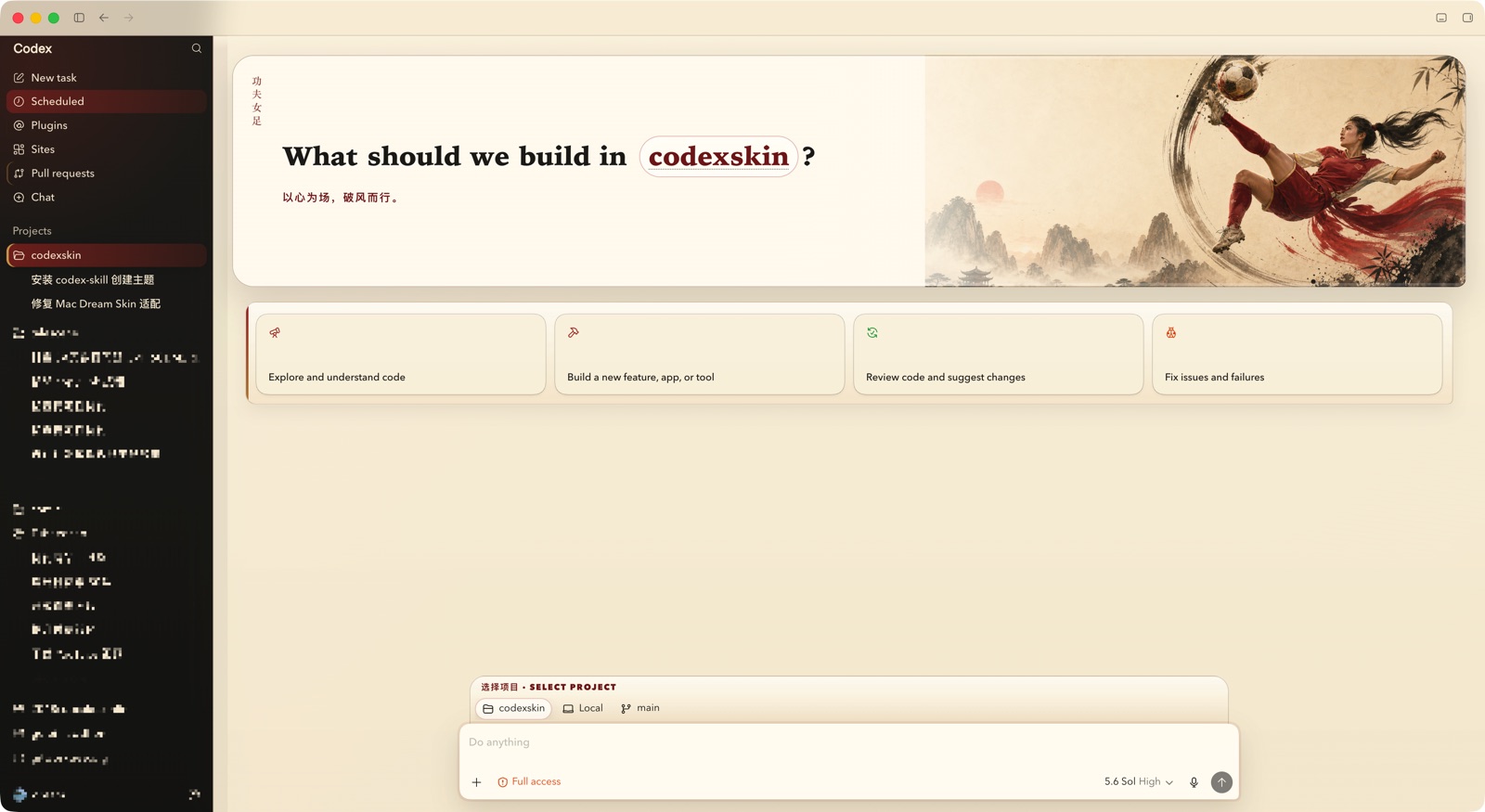
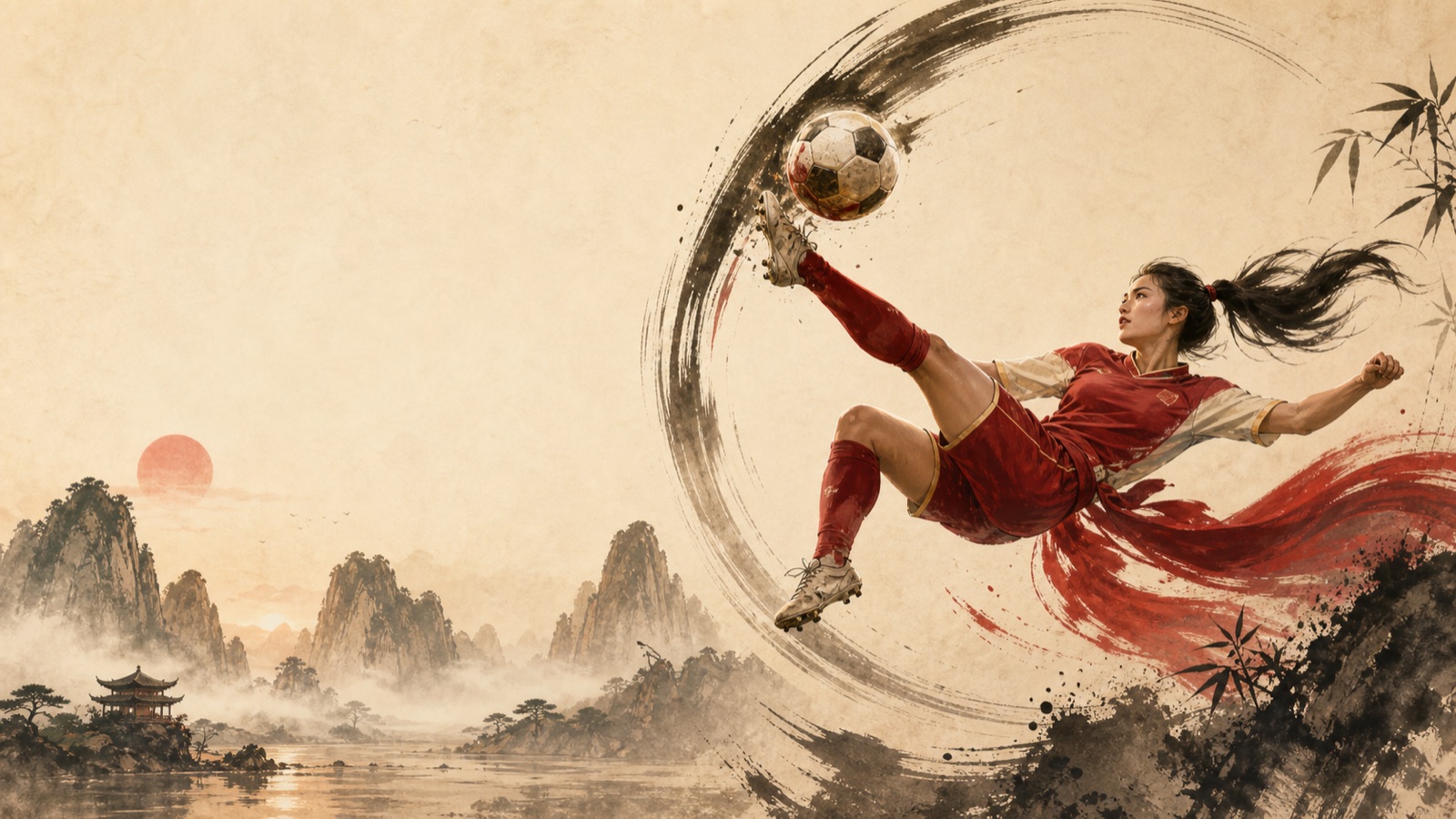
Kung Fu Women's Football
"Heart as the pitch, cutting through the wind." — cinnabar red, ink black, warm parchment.
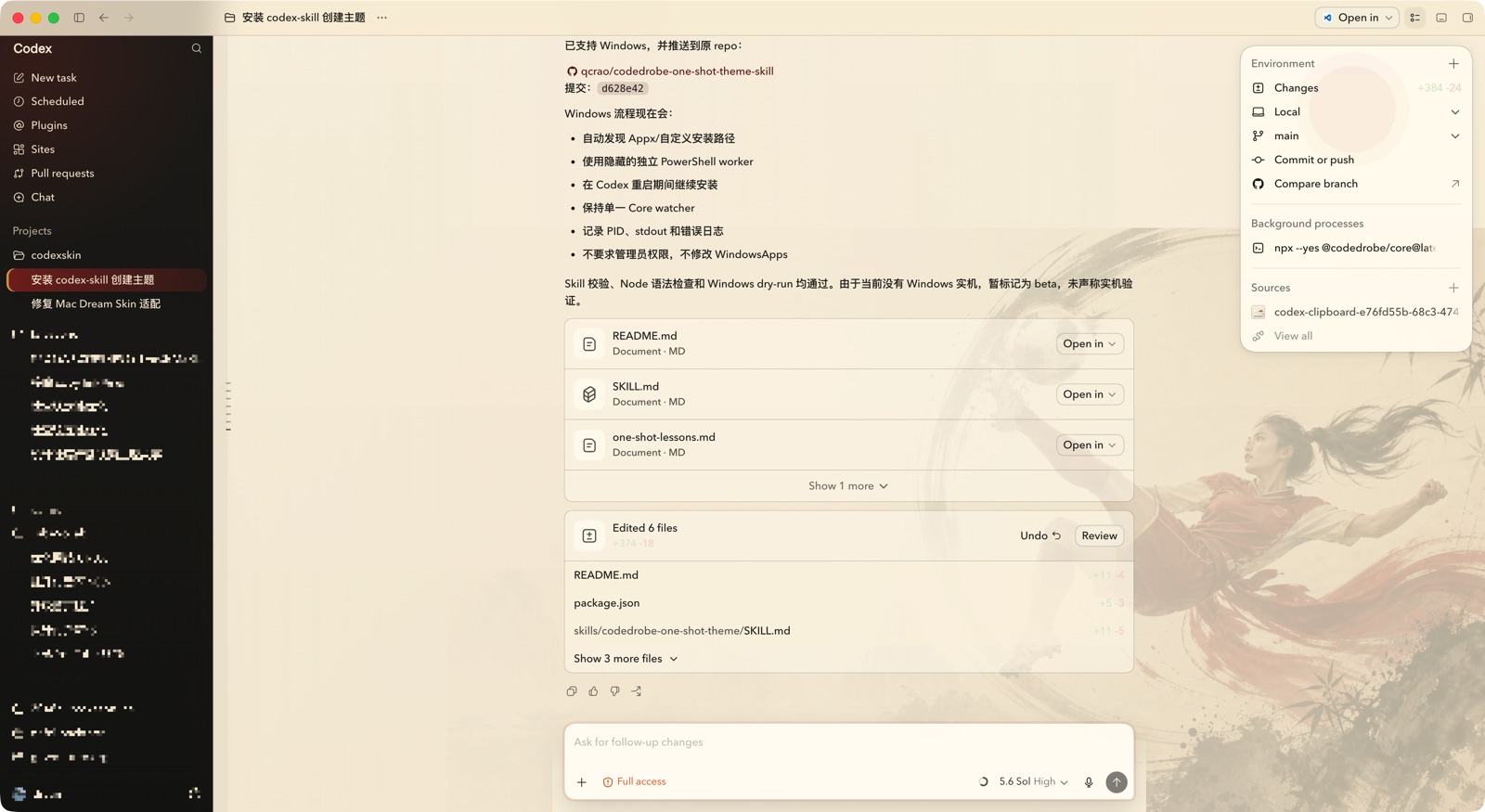
✓ Verified on a real Codex installv1.0.3 · data-only package (CSS + artwork + manifest) — no scripts, fully reversible
Install, step by step
Two steps: install the theme-manager skill once, then send Codex one prompt.
Step 1 — Install the theme skill
Install the CodexSkins theme-manager skill (the same one used across this site). One command, Node.js 20+:
npx skills add qcrao/codedrobe-one-shot-theme-skill --skill codedrobe-theme-manager --global --agent codex --yesStep 2 — Apply with one prompt
Move the downloaded file to your Downloads folder, then paste this into the Codex desktop app:
Use $codedrobe-theme-manager from https://www.codexskins.org/SKILL.md to check, apply and verify ~/Downloads/kung-fu-womens-football.codedrobe-theme. Ask me before closing or restarting Codex; produce a verification screenshot when done.Or manually, three commands
npm install --global @codedrobe/core
codedrobe probe --app codex --theme ~/Downloads/kung-fu-womens-football.codedrobe-theme
codedrobe apply --app codex --theme ~/Downloads/kung-fu-womens-football.codedrobe-themePrefer a plain CLI, no skill? Probe validates compatibility against your running Codex before anything is applied.
Restore anytime
Send Codex this prompt — the skill also handles the full-restart case where the running process keeps cached colors:
Use $codedrobe-theme-manager from https://www.codexskins.org/SKILL.md to restore the native Codex theme. Ask me before restarting Codex; afterwards verify the injection and colors are back to native.Or via CLI. If the old palette remains, fully quit and reopen Codex so it reloads the native colors:
codedrobe restore --app codexDesign notes
- Palette: cinnabar red, ink black, warm parchment, muted jade, antique gold.
- Deep-ink navigation, parchment workspace, restrained brush and seal details.
- Native navigation, composer behavior, focus rings, scrolling, and reduced-motion are all preserved.
- Package contents: theme.json manifest + codex.css + hero artwork. Data only — themes never carry scripts or touch provider settings.
How it was made
Created end-to-end with our one-shot skill: one sentence to Codex generated the artwork, wrote the CSS against a live DOM snapshot, applied, screenshot-verified, and packed this file.
Read: Let Codex theme itself →
Theme source & skill: qcrao/codedrobe-one-shot-theme-skill ↗