Arina Hashimoto
A live-tested preset of soft light and roses.
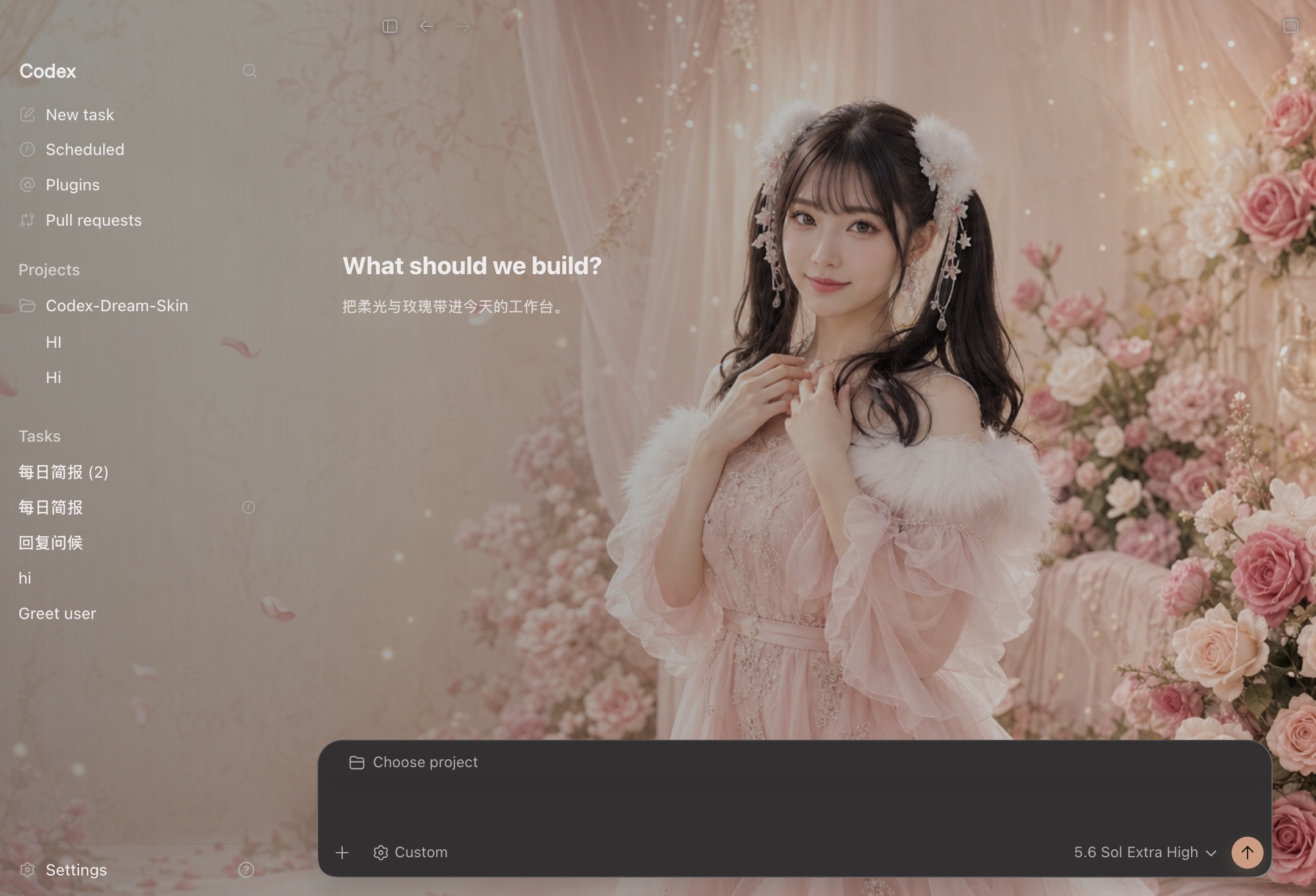
Bundled preset · One sentence
Copy this into Codex
This switches to the tested preset and verifies recovery.
Install or update Fei-Away/Codex-Dream-Skin safely, inspect the scripts first, then switch Codex to the bundled preset preset-arina-hashimoto. Keep the official app bundle untouched, verify Home, Task, composer and sidebar clicks, and tell me how to restore the stock appearance.Arina Hashimoto is a live-tested preset bundled on both macOS and Windows: soft pink light, rose garlands, and a frosted composer floating over an airy stage. This preview is an actual themed-Codex screenshot, not concept art. Character artwork is illustrative only.
Get this look
Easiest way: say one sentence to Codex and it themes itself — see the one-sentence method →
- Download the Dream Skin engine Grab the open-source engine from GitHub — it provides the theming structure: banner, background, and the restyled shell.
- Run the installer for your OS macOS: double-click “Install Codex Dream Skin.command”. Windows: run install-dream-skin.ps1, then start-dream-skin.ps1.
- Switch to the bundled preset Arina Hashimoto ships with macOS and Windows. Pick it from Saved Themes; on macOS you can also run switch-theme-macos.sh --id preset-arina-hashimoto.
Opens the Codex desktop app. No Codex yet? Copy the prompt above and paste it in. macOS guide → Windows guide →
More skins